Coverage
Check which operators can serve an address or a gescal, with which technology and at what speed, and whether any of them is blocked. The screen is read-only: it changes nothing.
Check the coverage of an address
- With ADDRESS selected, type the Postal code and start typing the street in Installation address.
- Pick the address from the suggestions. If it includes the number, it is filled in; otherwise type it, or tick No number.
- Press Consult coverage.
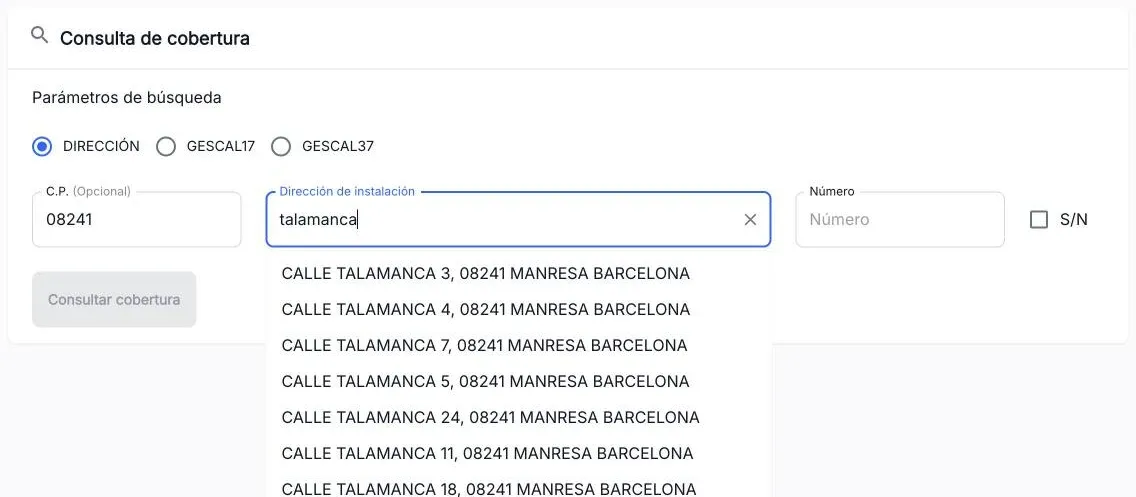
If you tick No number and the street has several possible buildings, “The following results have been found” opens: pick the building and press Accept.
Check the coverage of a gescal
- Select GESCAL17 (building) or GESCAL37 (home).
- Paste the code and press Consult coverage.
After each search the gescal stays in the page address (?gescal=…). You can share that link: opening it runs the search again.
Read the result
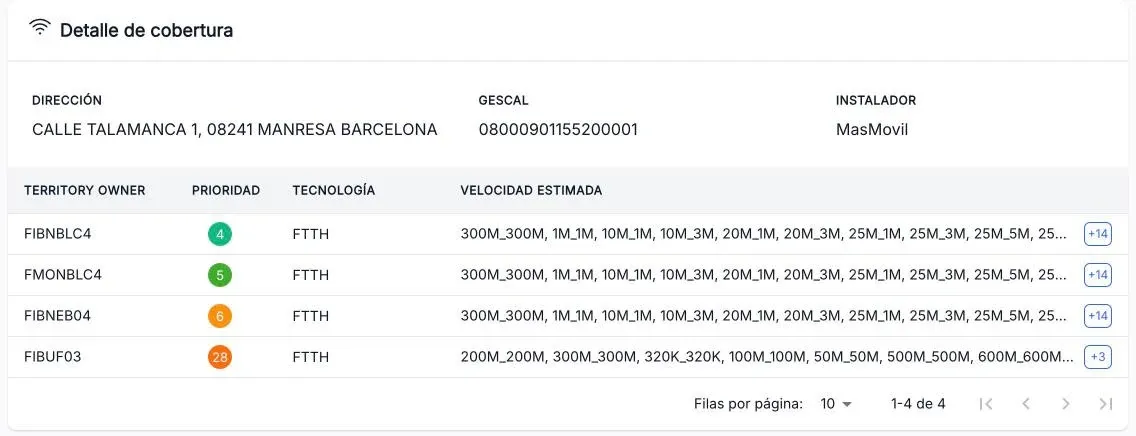
Coverage detail shows the address, the gescal and the installer, and one row per operator ordered by priority.
Verticals lists the homes of the building. Expand a row with › to see the operators of that home.
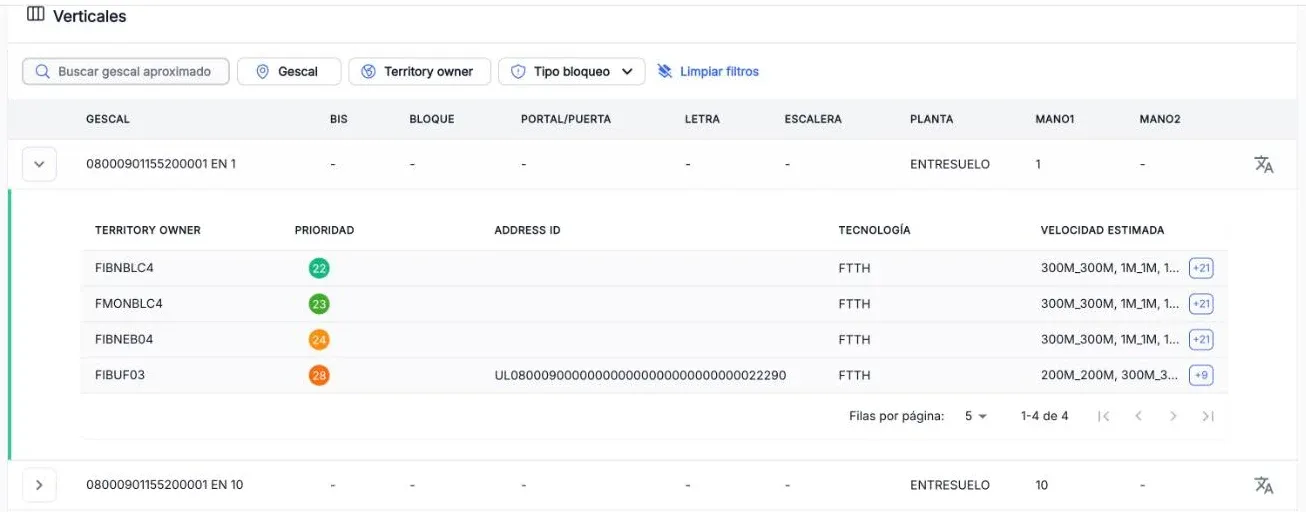
To find a specific home:
- Search approximate gescal reorders the list, most similar first;
- Gescal, Territory owner and Block type filter the list.
The screenshots show the Admin interface in Spanish.
When something is not as expected
| You see | What it means and what to do |
|---|---|
| ”No results found for the indicated address” | The building or gescal does not exist. Check the postal code, street and number. |
| ”No coverage found for the indicated address” | The building exists, but no operator has coverage there. |
| ”There was a network problem…” | The service could not be reached. Try again in a few seconds. |
| An operator you expected is missing | It may be blocked: look at the block icon and the Footprint block screen. |
Reference
Columns of the detail and of each home
| Column | What it is |
|---|---|
| Territory owner | The operator that holds the coverage, for example FIBNBLC4. |
| Priority | Order of preference: the lower, the more preferred. It goes from green to orange. |
| Address ID | The operator’s identifier for the address (homes only). |
| Technology | Access technology, for example FTTH. |
| Estimated speed | Available speeds. +N means there are more than fit. |
Verticals columns: gescal (with a button to copy it), bis, block, door/portal, letter, stairs, floor, hand 1 and hand 2.
Block icons: next to a gescal, red if all its operators are blocked and orange if only some are. Hovering a blocked operator shows the reason and the end date of the block.