Component anatomy
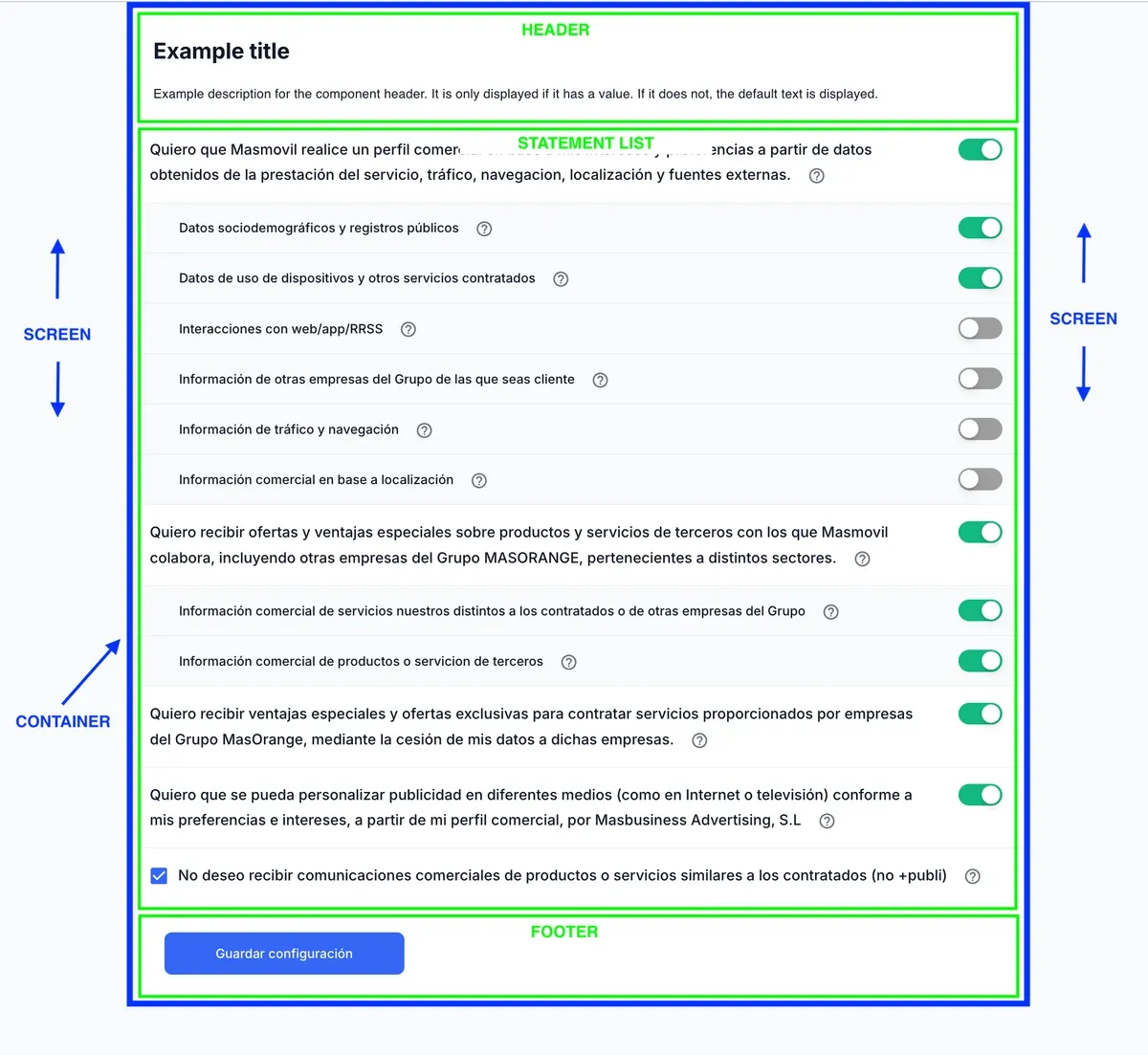
This section names the visible areas of the component. The same names are used in the token documentation so each token can be mapped to the part of the UI it affects.
Containers
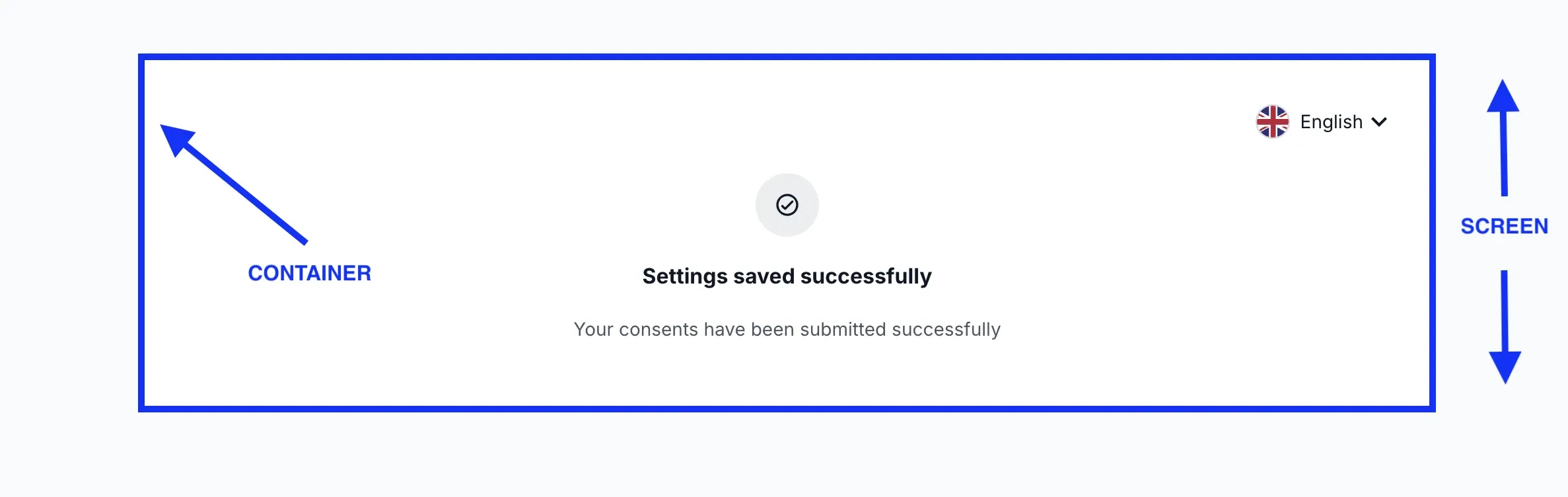
The same areas when the content is a status view: the Screen and the Container do not change.
| Area | Description |
|---|---|
| Screen | Outer background of the embedded component. |
| Container | Central block that groups the header, statement list, and footer. |
| Header | Top section with the title, optional description, and language selector. |
| Statement list | Central section where consent statements are rendered. |
| Footer | Bottom section with the validation alert and CTA button. |
Header
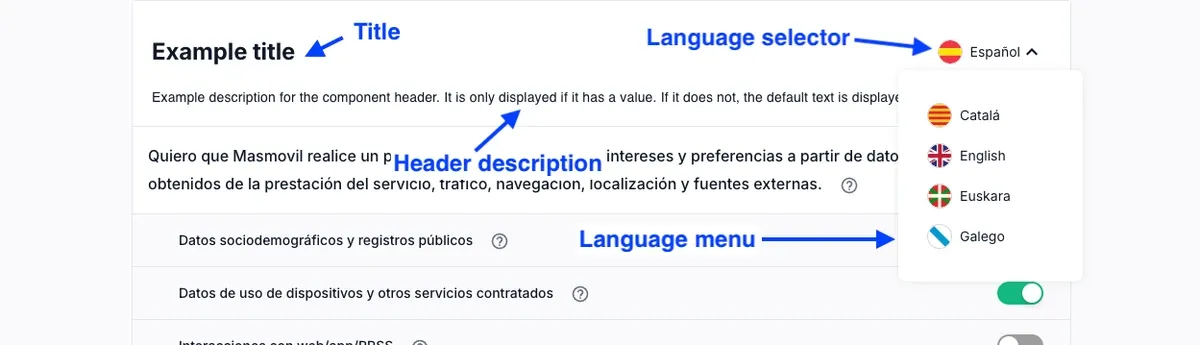
| Area | Description |
|---|---|
| Header | Top area that groups the title, header description, and language selector. |
| Title | Main heading displayed at the top of the component. |
| Header description | Optional explanatory text displayed below the title. |
| Language selector | Control used to change the component language when multiple locales exist. |
| Language menu | Dropdown that displays the available language options. |
Statements
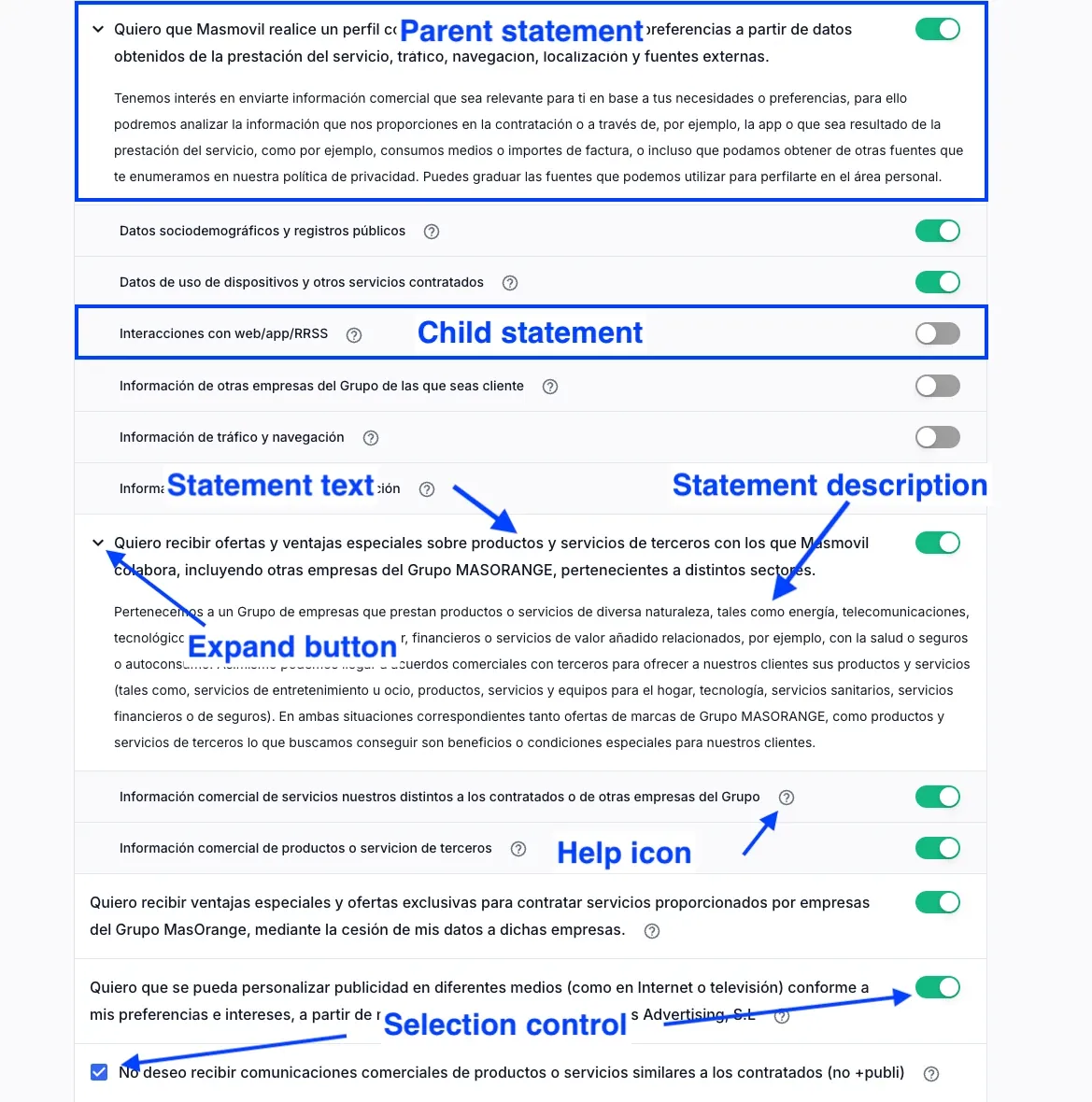
| Area | Description |
|---|---|
| Parent statement | Main consent item. It can group related child statements. |
| Child statement | Consent item nested under a parent statement. |
| Statement text | Main text that identifies the consent statement. |
| Statement description | Explanatory text that provides more detail about the consent statement. |
| Expand button | Control used to show or hide additional statement content. |
| Help icon | Icon that opens or displays additional information about a statement. |
| Selection control | Control used to accept, reject, or enable a statement. It can be a switch or a checkbox. |
Statement cards
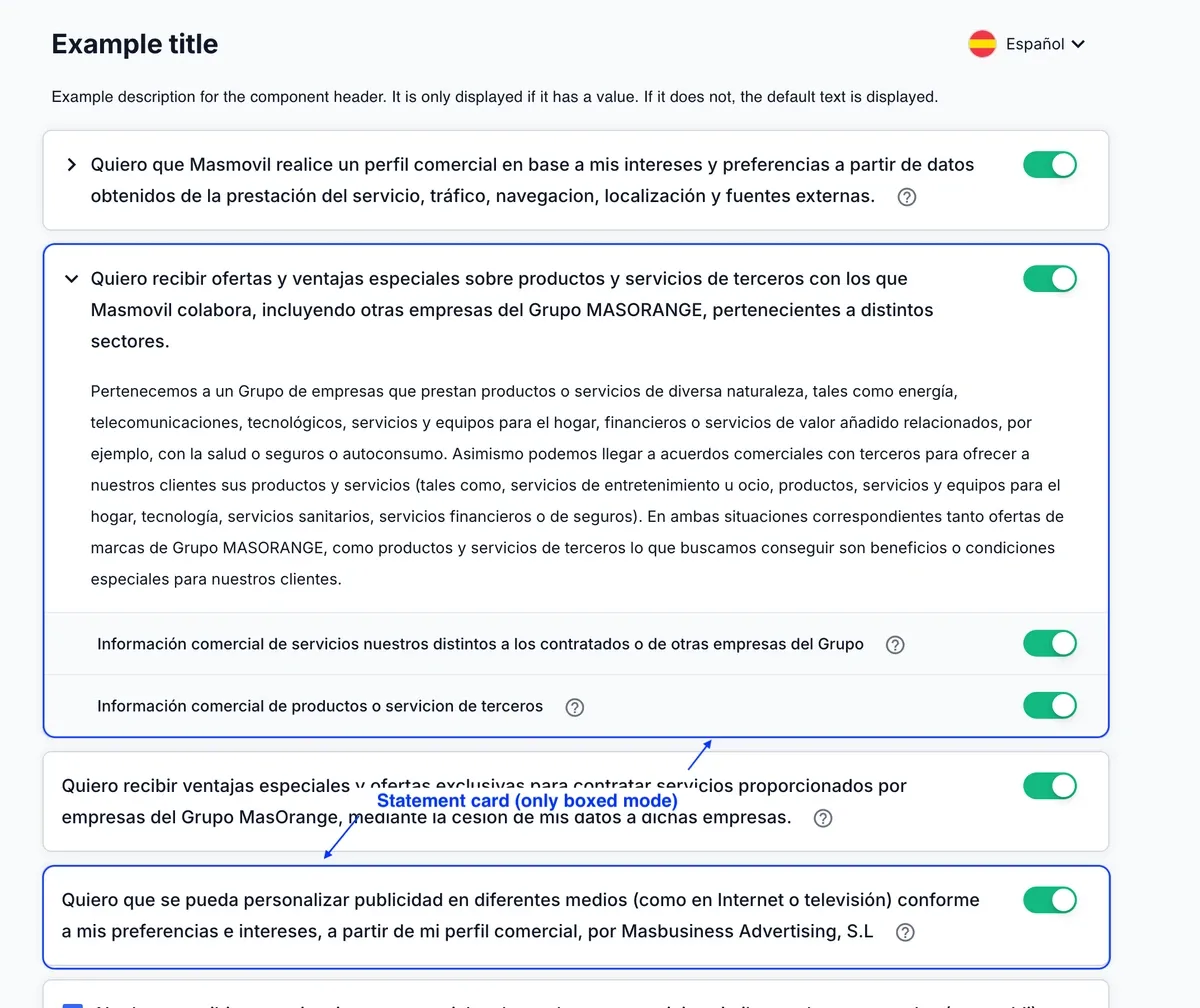
| Area | Description |
|---|---|
| Statement card | Visual container that wraps a consent item in boxed mode. In flat mode, statements are not shown as cards. |
Actions and feedback
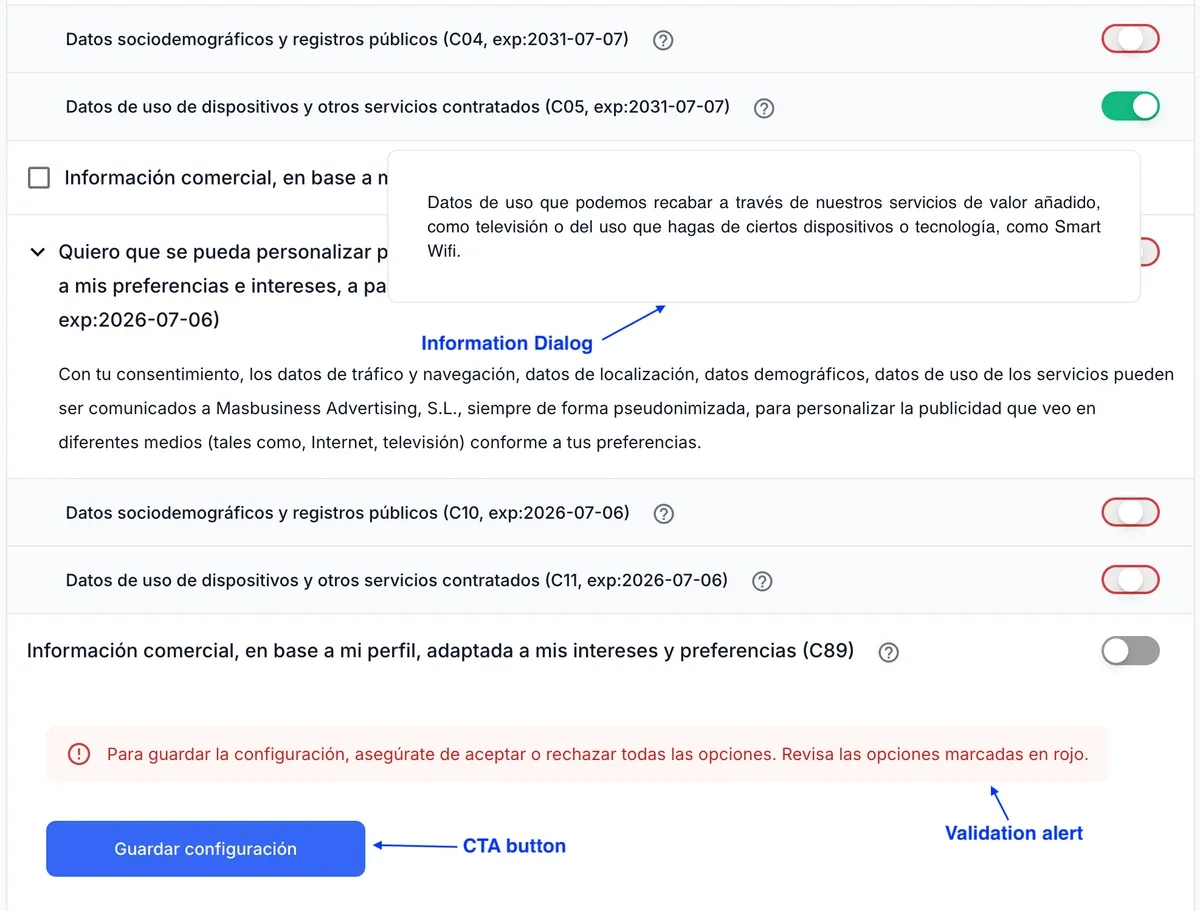
| Area | Description |
|---|---|
| Information Dialog | Floating panel that displays additional information about a consent item. |
| Validation alert | Message shown when the user must review or complete consent selections. |
| CTA button | Primary action button used to submit or save the current consent selection state. |
Status views
The component replaces the statement list with a status view when the flow ends or cannot continue. This happens in six situations: four failures (load error, no connection, submit error and unsupported browser) and two informational ones (no pending consents and settings saved successfully).
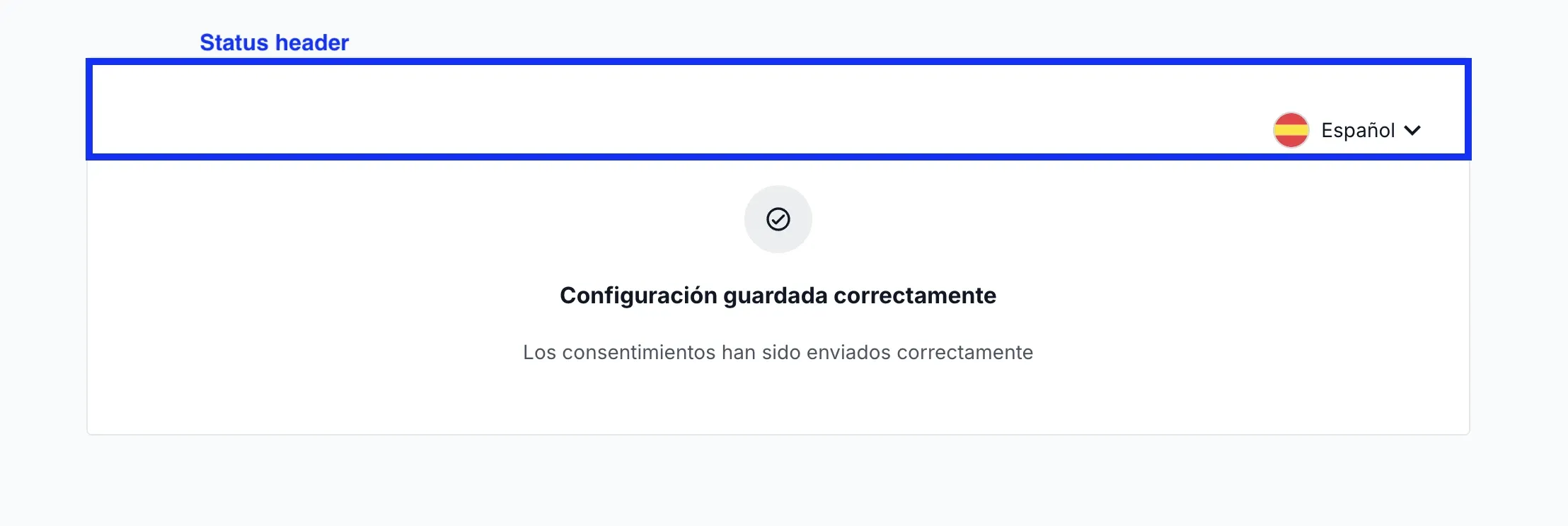
With the show language selector option enabled, the Language selector is shown inside the Status header. Without the language selector, the status header is not shown.
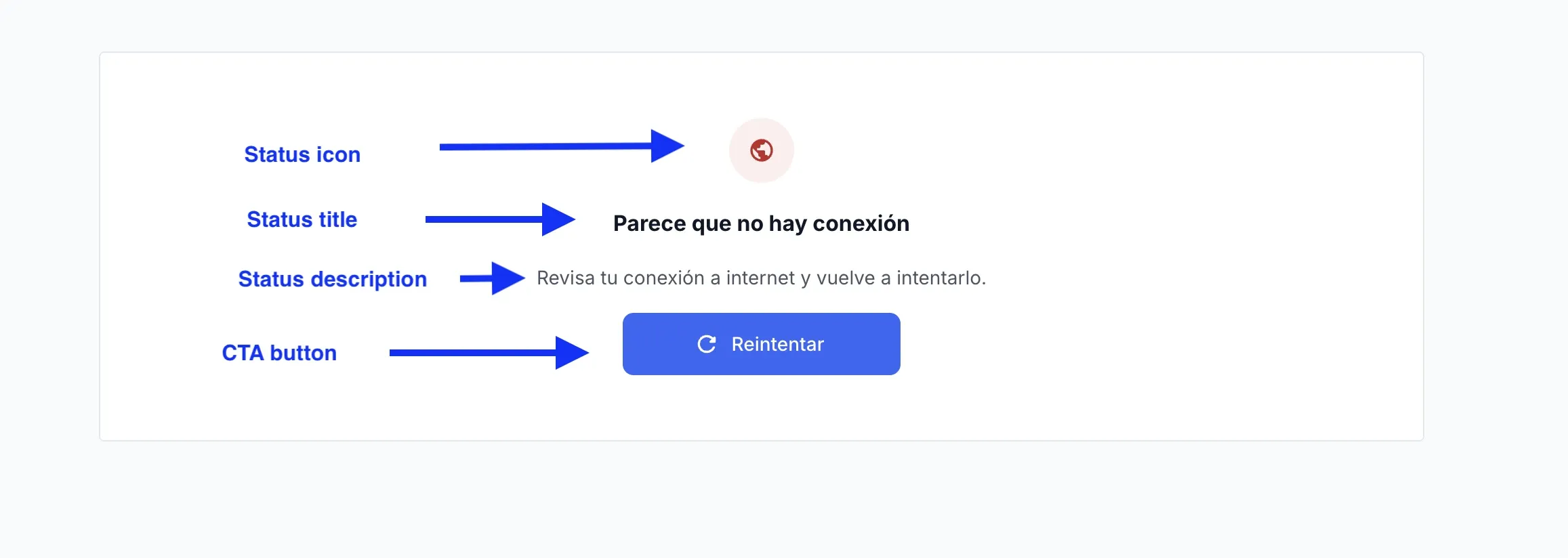
The Status header only appears with the show language selector option enabled:
| Area | Description |
|---|---|
| Container | The same central block as always. It keeps its background, border and radius when a status view is shown. |
| Status view | Block that replaces the statement list when the flow ends or cannot continue. |
| Status header | Top band of the view. It only appears with the show language selector option enabled, which is all it holds. |
| Status icon | Circular icon leading the view, identifying the kind of result. |
| Status title | Headline summarising the result. |
| Status description | Explanatory text shown under the headline. |
| CTA button | The same primary button as in the Footer. It appears in the error views that offer a retry, with the same tokens. |
| Technical details | Collapsible link that reveals the error code and reference. It appears in the load error and submit error views. |