Massive load
Create dealers and actors in bulk from an XLSX file.
Create dealers and actors in bulk from an XLSX file.
Prepare the file
Press Download XLSX template to get the file with the expected format.
Upload the file
- Click or drag the file onto the Click or drag here to upload a file area. Only .xlsx files are accepted.
- Press Continue.
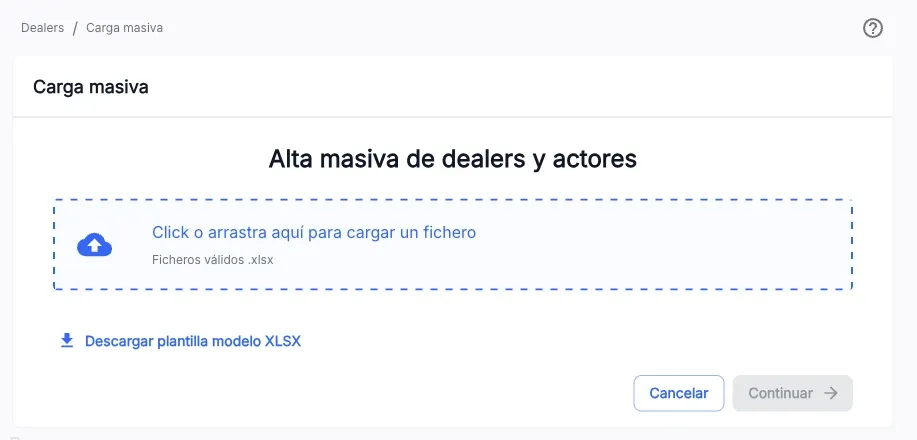
These guides do not cover the exact columns the XLSX file must have. For that, check with the team that owns Dealers.
The screenshots show the Admin interface in Spanish.
When something is not as expected
| You see | What it means and what to do |
|---|---|
| The upload button is not available | You lack write permission on this section. |
| The file is rejected | Check that it is an .xlsx file and follows the template’s format. |
Reference
A single load file can create both dealers and actors at once, depending on the content of its sheets.