Categories
Create customer categories and maintain the list of valid values of each one.
Manage the categories that can be assigned to the tenant’s customers and the values each one accepts.
Before you start
Select a tenant in the Admin header. Categories belong to that tenant.
Look up categories
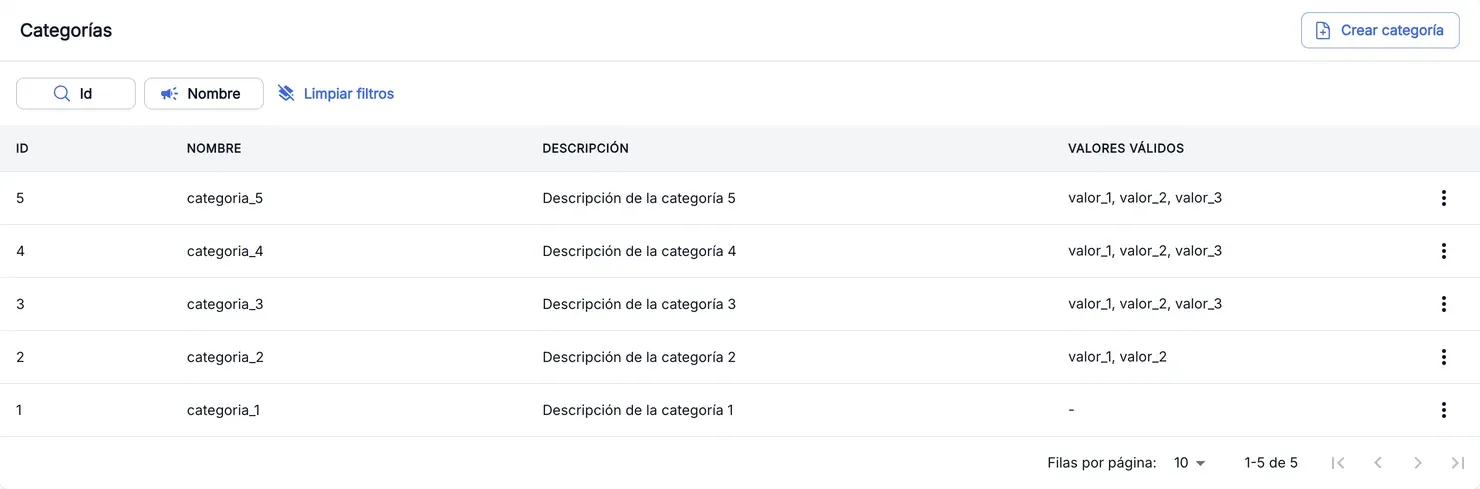
The Categories table shows the Id, Name, Description and Valid values of each category, newest first. Filter by Id or Name to find one.
Create a category
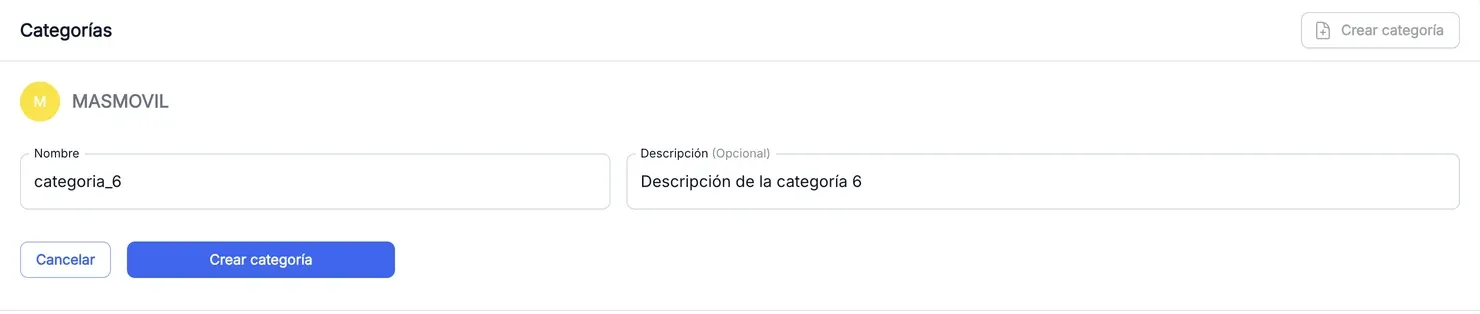
- Press Create category. The form opens above the table, showing the tenant it will be created in.
- Enter the Name: lowercase letters, numbers and underscores (
_) only, 1 to 50 characters. For example,categoria_1. - Enter a Description (optional).
- Press Create category.
The category is created with no valid values. The confirmation message has a button that filters the table by the new category.
Edit the valid values
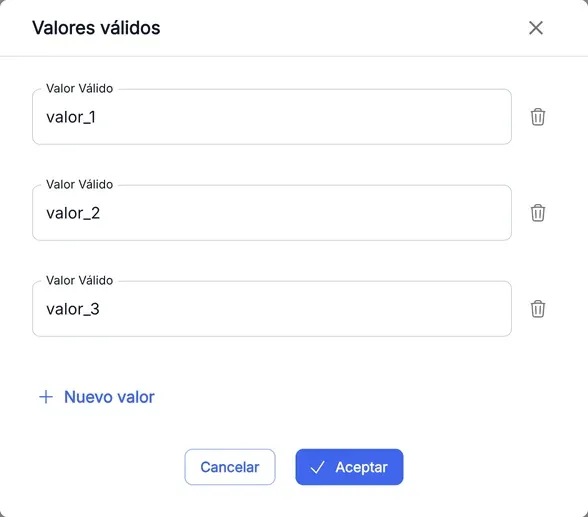
- Open the category’s ⋮ menu and choose Edit values.
- In Valid values, enter each value in a Valid Value field. The same rule as the name applies: lowercase letters, numbers and
_, 1 to 50 characters. - Press New value to add another field, or the bin icon to remove one.
- Press Accept.
What you save replaces the whole list of values of the category. If you empty every field, the category is left with no valid values.
The screenshots show the Admin interface in Spanish.
When something is not as expected
| You see | What it means and what to do |
|---|---|
| ”The value must contain only lowercase letters, numbers, and underscores (_), with a length between 1 and 50 characters” | The name or a value has capitals, spaces, accents or other symbols. Fix it. |
| ”Unable to update the category. Error: […]” | The service rejected the change of values. The text in brackets gives the cause. Check the values and try again. |
| Create category and Edit values are missing | You do not have write permission in this section. You can look up categories, but not create or change them. |
| You cannot find the special treatment category | It is not managed here. Use Special treatment. |
Reference
| Column | What it is |
|---|---|
| Id | Numeric identifier of the category. |
| Name | Name of the category, for example categoria_1. |
| Description | Free text that explains what the category is for. |
| Valid values | Values the category accepts, separated by commas. - if it has none. |