Devices
Look up a device record: brand, colour, features and promotion data.
Look up the record of each device in the catalogue: its product data, its technical features and, if it has one, its promotion. The screen is read-only: it changes nothing. To see at what price and on which terms a device is sold, use the Devices tab of Commercial offer.
Before you start
Select a tenant in the Admin header (for example, Masmovil).
Find a device
- Filter the list by Device (name or ID), Category web, Brand or Colour.
- If you know the ID, press Advanced search, type it and press Search. Back to list closes the search.
- Expand a row with › to see its description and code.
The Language filter changes the language of the device texts: ES, GL, CA or EU.
Look up a device record
- Open the row menu and press View detail.
- The record shows the image, the description and the device data: code, category, brand, colour, model web, energy label and whether it is eSIM only or has eSIM available.
- Change the language of the texts with Language, in the record header.
- Look at the two tabs:
- Features: every technical datum of the device, with a Feature filter.
- Promotion data: the trade-in promotion for the old device (description and value) and additional information. It is empty when the device has no promotion.
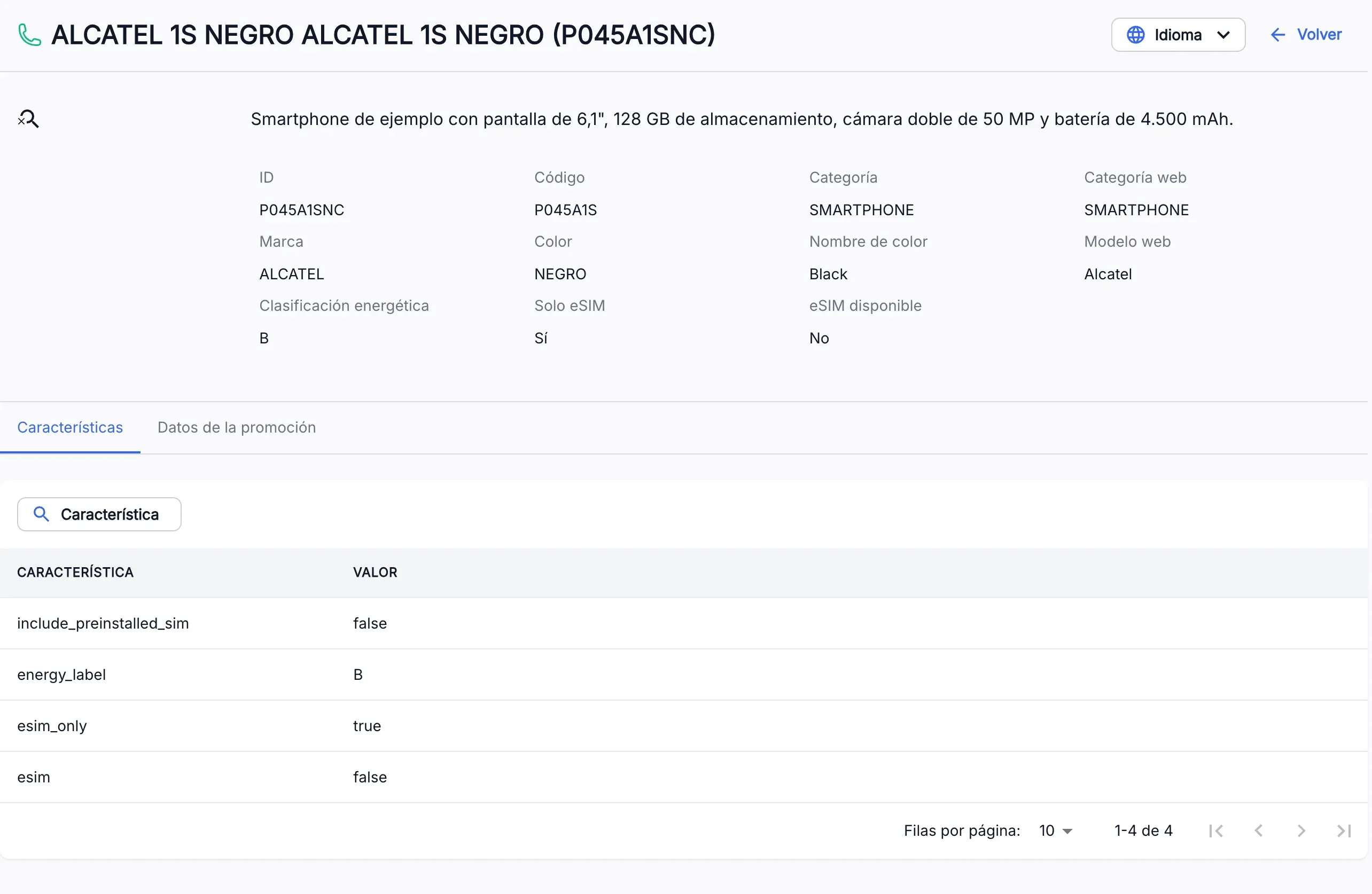
The screenshots show the Admin interface in Spanish.
When something is not as expected
| You see | What it means and what to do |
|---|---|
| ”No results found” | No device matches the filters, or the ID does not exist. Press Clear filters or check the ID. |
| ”Device not found for the selected tenant” | The device does not exist in the header tenant. Check the tenant and the ID. |
| ”An unexpected error has occurred” | The service could not be reached. If Retry appears, press it; otherwise reload the page in a few seconds. |
| You do not see Devices in the menu | You do not have read permission for this section. Ask whoever manages your access. |
Reference
| Field | What it is |
|---|---|
| ID | Identifier of the device, including its colour. |
| Code | Code of the device, shared by all its colours. |
| Category, Category web | Kind of device in the catalogue and on the web. |
| Model web | Name of the model on the web. |
| Energy label | Energy label of the device. |
| eSIM only | Yes if the device only supports eSIM. |
| eSIM available | Yes if the device supports eSIM. |